

phpStorm: Project Data Sources: re-sync required

@thebigk
•
Oct 26, 2024
Oct 26, 2024
1.8K
I upgraded my phpStorm IDE to the latest version and began getting a nasty Project Data Sources: re-sync required error. I ignored it for a couple of times but it would pop up every time I loaded the editor. The fix turns out to be quite easy!
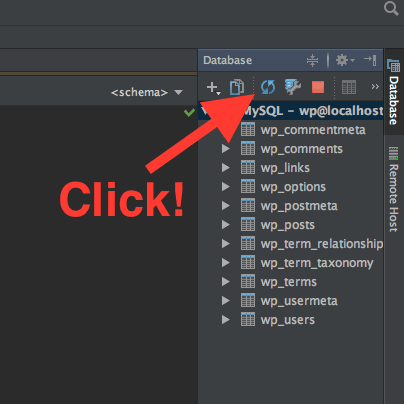
Simply open the database tools panel from the right side of your phpStorm IDE, select the database you are using for your project and hit the 'synchronize' button. The system may ask for your database password and once you provide the correct password - phpStorm will fetch all the tables and sync stuff.
I hope this saves you some time.