[Need Help in testing] Copy Camera photos directly to your Phone

@anoop-kumar-GDGRCn
•
Oct 20, 2024
Oct 20, 2024
1.6K
I just happen to find out that Android KitKat 4.4.2 allowing camera even a Point & Shoot to connect with cable directly and import your photos to phone without any app or any configuration.
For DSLR, it's definitely working.
All you need is following cable to bridge with camera cable to connect the Camera with Phone
This is called On-The-Go cable cost merely $1-$2, can be purchased from local store.

Procedure - (For engineers):
Just connect *bridge of regular camera cable with On-The-Go cable like this and phone will ask you to use Camera Importer/Gallery to import your photos.
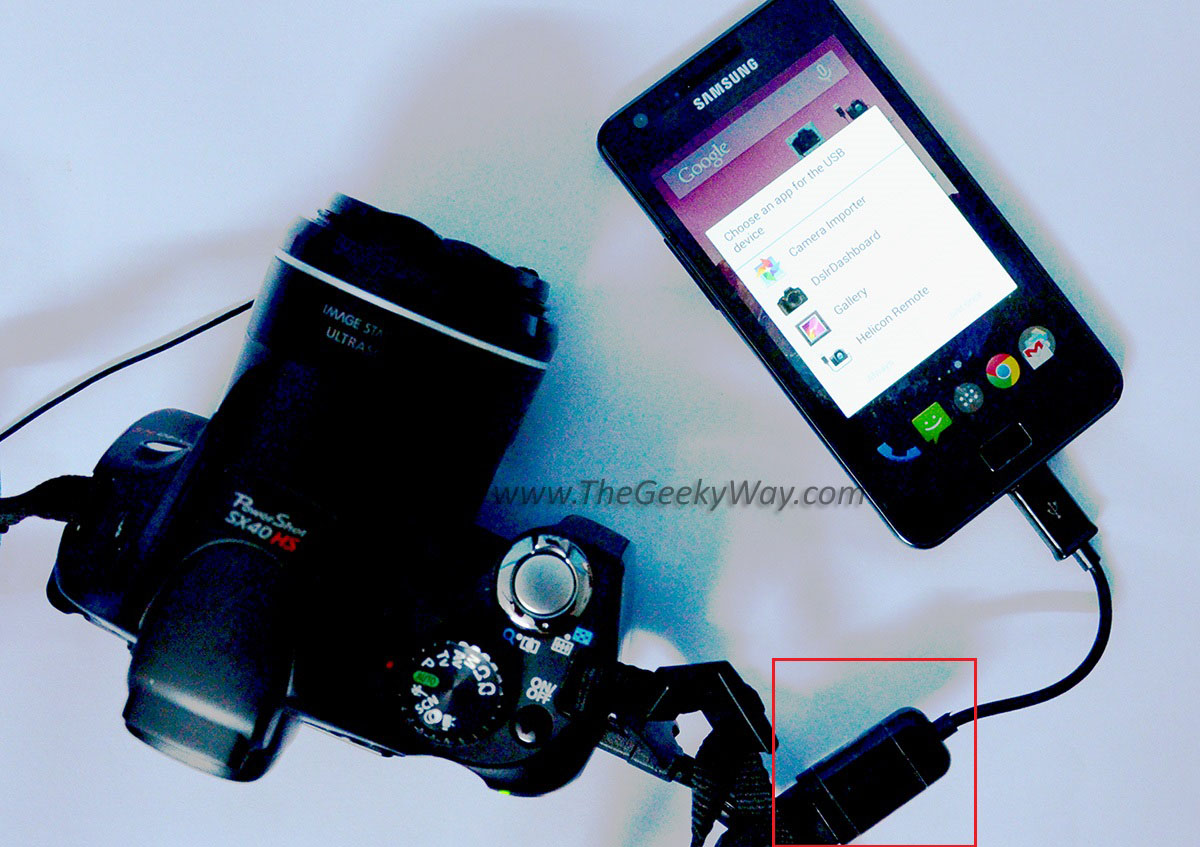
I have tested this with Canon Powershot SX40 HS and Nikon D7000 working without hassle. If not working just try disconnecting/restarting camera.
<a href="https://www.thegeekyway.com/android-4-4-2-how-to-copy-camera-photos-to-android-phone-directly/" target="_blank" rel="nofollow noopener noreferrer">The Geeky Way– How to copy camera photos to Android phone directly without any app</a>
If anyone have camera please confirm whether it is working for other Point & Shoot cameras and on iOS/Windows phone/Lower version of Android (may be Google+ or gallery app update required).
Please test and update here whether you able to copy your photos or not.
For DSLR, it's definitely working.
All you need is following cable to bridge with camera cable to connect the Camera with Phone
This is called On-The-Go cable cost merely $1-$2, can be purchased from local store.
Procedure - (For engineers):
Just connect *bridge of regular camera cable with On-The-Go cable like this and phone will ask you to use Camera Importer/Gallery to import your photos.
I have tested this with Canon Powershot SX40 HS and Nikon D7000 working without hassle. If not working just try disconnecting/restarting camera.
<a href="https://www.thegeekyway.com/android-4-4-2-how-to-copy-camera-photos-to-android-phone-directly/" target="_blank" rel="nofollow noopener noreferrer">The Geeky Way– How to copy camera photos to Android phone directly without any app</a>
If anyone have camera please confirm whether it is working for other Point & Shoot cameras and on iOS/Windows phone/Lower version of Android (may be Google+ or gallery app update required).
Please test and update here whether you able to copy your photos or not.