

Use Instagram Landscape And Portrait Mode And Think Out of The Box

Instagram users had to use square shaped photos by default when publishing their clicks on the photo-sharing app. However, the company recently announced that they've introduced portrait and landscape mode feature to the Instagram app. It so happened that the folks behind the app figured out how one photo in every five that was uploaded to the app was not squared shaped. The app had to crop the remaining portion out, leaving the users with group photos with some faces missing and videos leaving out crucial part out of the frame.
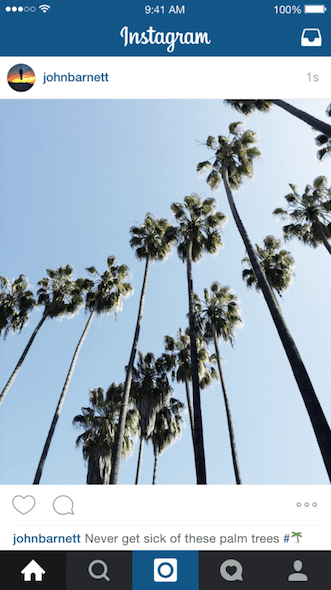
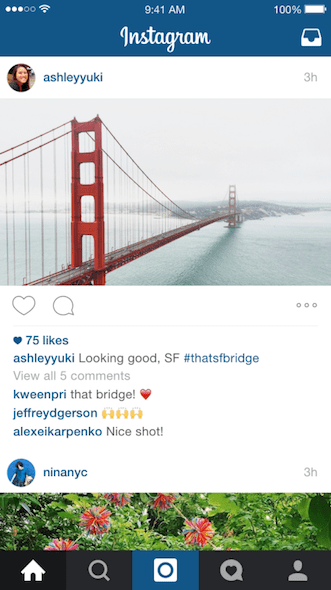
With the introduction of the new feature, users can choose a photo or video, tap on the format icon and select the orientation to be Portrait or Landscape. On sharing the photo (after ofcourse applying your favorite filters to it), the full-sized version will be displayed on the timelines of your followers. In your profile feed, however, the photo or video post will appear as a center cropped square so that it remains clean and easy to browse.
Those who prefer sharing videos over images, with the new Landscape mode on Instagram, users gets to share clips in widescreen. Moreover, the app makers had always maintained that the filters available for photos and videos were separate. However, in the new update version 7.5 - now all filters will work on both images and videos. Not just that, users can adjust the intensity of filters on videos as well.
The update has been rolled out simultaneously on both Android and iOS version of the app. Those looking for it can visit <a href="https://play.google.com/store/apps/details?id=com.instagram.android" target="_blank" rel="noopener noreferrer">Instagram - Apps on Google Play</a> and #-Link-Snipped-#. It goes without saying that Instagram users can send private photo and video messages directly to their friends and use handoff to switch between their Apple Watch and iPhone.
What are your thoughts about the latest Instagram update? Share with us in comments below.
Source: #-Link-Snipped-#