Gmail Revamped- Adds Tabs To Declutter Inbox, Auto-Organizes Incoming Mails

@ambarish-PQyoXg
•
Oct 26, 2024
Oct 26, 2024
1.2K
Gmail's renovating its user interface starting today in an attempt to let users have full authority over how they wish to organize their mails. The new design shall be rolled out for both the desktop and mobile platforms, and will have several tools to assist in sorting out all incoming communications in a very uncomplicated manner. As stated in the video below- The inbox has gone Google. Again.
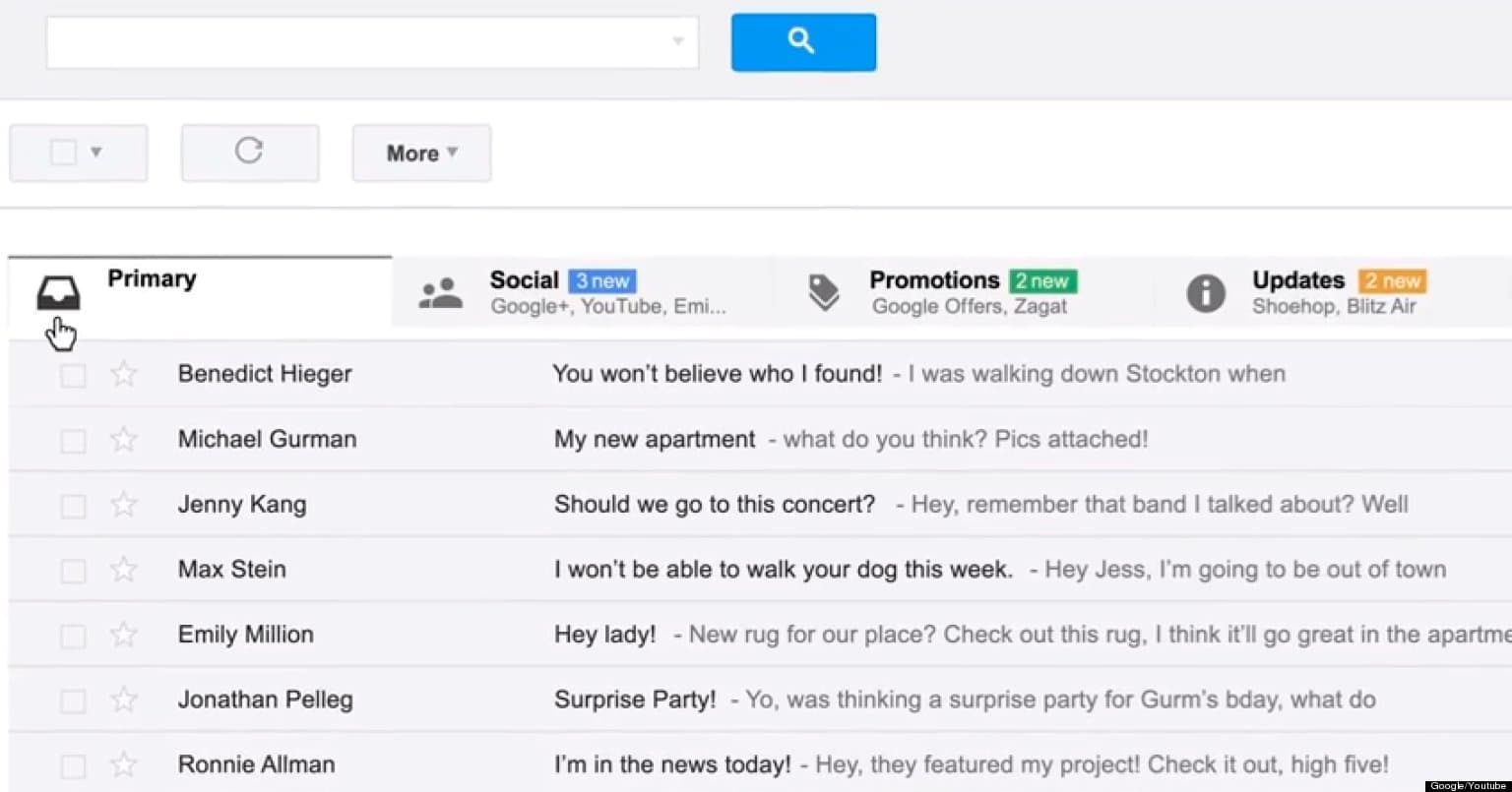
For desktop users, the Gmail inbox now offers categories for even group mails, where mails can be put together into one of the several threads like Main, Social, Offers, Updates and Forums. Even the inbox is customizable, with a particular mail being assigned to just one or several categories, and it's convenient to transfer message between tabs by a simple drag-and-drop function. Particular users may be set to appear in select tab always, while the starred messages shall also find a place in the Primary tab.
For mobile users, the Gmail update now reflects on both Android and iOS systems, and now comprises the elegant 'hamburger' button the search-giant mentioned during the I/O developer conference. The 'hamburger' button when tapped displays a menu dropping from the left allowing easy access to other tabs. Also, smart labels have been put up in the inbox, so that the user may instantly access emails stored with different categories.
If at all you don't heart the Gmail redesign, you can simply opt to switch off all elective tabs and switch back to the good old classic inbox view. This redesign has been rolled out to a select few as of now, but others rest assured, for you'll be receiving this update real soon. Just a matter of a few weeks. To all those who're feeling lucky, just click the gear icon at the top right, select "Settings", see if you get the "Configure Inbox" menu option, and start organizing. Share with us what you think of the new design.
Check the video:
For desktop users, the Gmail inbox now offers categories for even group mails, where mails can be put together into one of the several threads like Main, Social, Offers, Updates and Forums. Even the inbox is customizable, with a particular mail being assigned to just one or several categories, and it's convenient to transfer message between tabs by a simple drag-and-drop function. Particular users may be set to appear in select tab always, while the starred messages shall also find a place in the Primary tab.
For mobile users, the Gmail update now reflects on both Android and iOS systems, and now comprises the elegant 'hamburger' button the search-giant mentioned during the I/O developer conference. The 'hamburger' button when tapped displays a menu dropping from the left allowing easy access to other tabs. Also, smart labels have been put up in the inbox, so that the user may instantly access emails stored with different categories.
If at all you don't heart the Gmail redesign, you can simply opt to switch off all elective tabs and switch back to the good old classic inbox view. This redesign has been rolled out to a select few as of now, but others rest assured, for you'll be receiving this update real soon. Just a matter of a few weeks. To all those who're feeling lucky, just click the gear icon at the top right, select "Settings", see if you get the "Configure Inbox" menu option, and start organizing. Share with us what you think of the new design.
Check the video: