

Apple OS X Mavericks Developers Preview Features At A Glance

@satya-swaroop-YDeBJM
•
Oct 20, 2024
Oct 20, 2024
2.3K
As <a href="https://www.crazyengineers.com/threads/windows-blue-update-coming-soon-da-ba-dee-windows-8.67878">Windows Blue Update Coming Soon. Da Ba Dee Windows 8.</a> is making waves in the PC industry, how could Apple be behind? It has now released the Developer Preview of its tenth version of OS X, titled Mavericks. At present the Mavericks is available for download only to Mac Developer Program members, but Apple has provided details on some of the 200 features that the end users can expect to see once they get their hands on the OS from the App Store this fall.
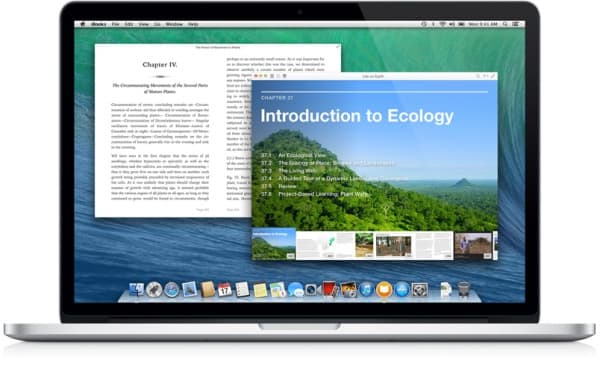
iBooks on Mac – All the books that you had saved on mobile Apple devices will now be available on you Mac. The books will incorporate the swipe, pinch to zoom and scroll cover to cover feature. Multiple books can also be opened on the Mac now which will make it easier for the students to take notes. The app also remembers the last page that you had left your reading on mobile devices and it will resume the book from that page on your Mac.
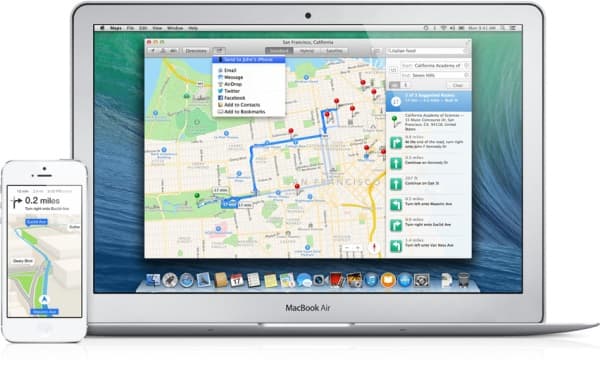
Maps for Mac – Thanks to the processing capability of Macs the Maps app will now be more intuitive than ever. Flyover, an interactive 3D map tool will help you get excellent views from above a city. All the previous features of the Maps app on iOS will be incorporated in the desktop version and the users will be allowed to share maps, routes etc from Mac to iOS devices.
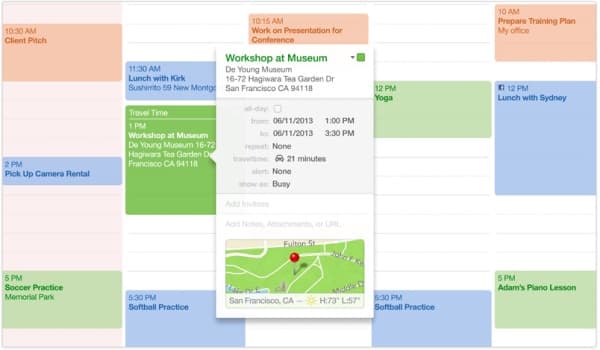
New Calendar App – The redesigned maps app has now been equipped with continuous scroll and a new event inspector suggestion app that will help you suggest events based on your interests. The user will be given detailed information on the event, route and weather at the location once he/she finalizes the event.
New Version of Safari – The Safari has also gone under a major overhaul and it has been given new features like Top Sites, Suggested Sites, and Shared Links on new Sidebar. Nitro Tiered JIT and Fast Start technologies will result in faster page rendering speeds.

iCloud Keychain – This is a cloud powered password saving service, that not only stores passwords and usernames with AES 256-bit encryption but also generates unique passwords for you. Since it is a cloud service, the usernames and passwords will also be available to you on your mobile iDevices.

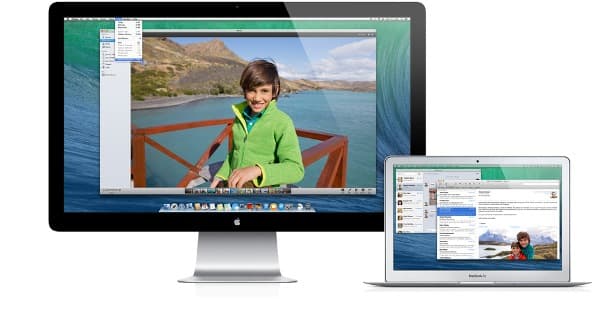
Multiple Displays – In Windows you have a primary and a secondary display, now when you engage the multiple display, each display has its own menu bar and Dock.
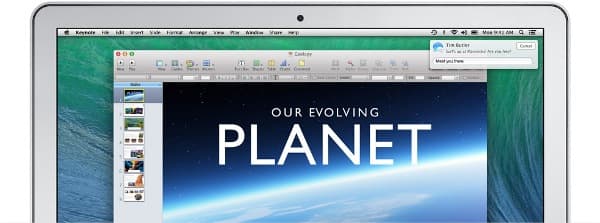
Interactive Notifications – Users can directly interact with the notification itself, they no longer have to open the app. Even if you are away from your Mac it keeps a record of all the notifications for you from your apps and signed-in websites.
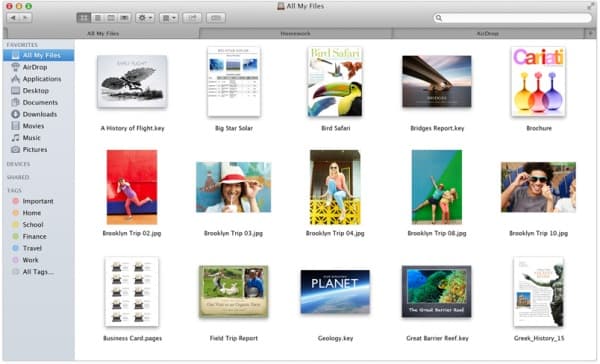
Finder Tabs – Multiple Finder windows are now kept in tabs which can be customised and reordered in any manner. Drag and drop move of files has also been enabled.
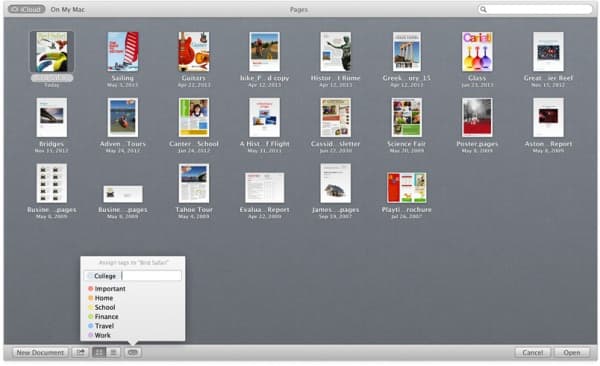
Tags – For improved sorting and organising of files, Tags can now be set for files, apps and even on iCloud. Tagging will help the users to search for important files easier. The OS X will have its default tags but users can also create their own.
Features for Developers – Xcode Server collaboration tool for development of Mac or iOS apps. The Caching Server 2 for faster delivery of software and Profile Manager for simplifying software distribution.
Source: #-Link-Snipped-#
iBooks on Mac – All the books that you had saved on mobile Apple devices will now be available on you Mac. The books will incorporate the swipe, pinch to zoom and scroll cover to cover feature. Multiple books can also be opened on the Mac now which will make it easier for the students to take notes. The app also remembers the last page that you had left your reading on mobile devices and it will resume the book from that page on your Mac.
Maps for Mac – Thanks to the processing capability of Macs the Maps app will now be more intuitive than ever. Flyover, an interactive 3D map tool will help you get excellent views from above a city. All the previous features of the Maps app on iOS will be incorporated in the desktop version and the users will be allowed to share maps, routes etc from Mac to iOS devices.
New Calendar App – The redesigned maps app has now been equipped with continuous scroll and a new event inspector suggestion app that will help you suggest events based on your interests. The user will be given detailed information on the event, route and weather at the location once he/she finalizes the event.
New Version of Safari – The Safari has also gone under a major overhaul and it has been given new features like Top Sites, Suggested Sites, and Shared Links on new Sidebar. Nitro Tiered JIT and Fast Start technologies will result in faster page rendering speeds.
iCloud Keychain – This is a cloud powered password saving service, that not only stores passwords and usernames with AES 256-bit encryption but also generates unique passwords for you. Since it is a cloud service, the usernames and passwords will also be available to you on your mobile iDevices.
Multiple Displays – In Windows you have a primary and a secondary display, now when you engage the multiple display, each display has its own menu bar and Dock.
Interactive Notifications – Users can directly interact with the notification itself, they no longer have to open the app. Even if you are away from your Mac it keeps a record of all the notifications for you from your apps and signed-in websites.
Finder Tabs – Multiple Finder windows are now kept in tabs which can be customised and reordered in any manner. Drag and drop move of files has also been enabled.
Tags – For improved sorting and organising of files, Tags can now be set for files, apps and even on iCloud. Tagging will help the users to search for important files easier. The OS X will have its default tags but users can also create their own.
Features for Developers – Xcode Server collaboration tool for development of Mac or iOS apps. The Caching Server 2 for faster delivery of software and Profile Manager for simplifying software distribution.
Source: #-Link-Snipped-#