

Twitter Bing Translator Is For Real - Here's How You Enable It

@abrakadabra
•
Oct 23, 2024
Oct 23, 2024
1.6K
A couple of days back, Twitter launched the facility to let Tweeple see translated tweets on their feed, all thanks to the Twitter Bing Translator. We remember that back in August 2014, Twitter officials had quietly removed this feature and many regular twitter users had immediately noticed this change. Well now that the feature is back, you won't miss out on any news on Twitter because of the language barrier. To make it really useful, the company has introduced many flexible settings for users. Right from when you want to see translated text, Twitter users can disable the translation option altogether that is if you prefer reading it in the form it was originally written. Powered by Microsoft's Bing, those who are multi-lingual will find that more often than not, the Bing Translator won't translate the text as it should be.
We all are aware that machine translation is not as good as the human counterpart as there's just too much flowery language we use in those 140 characters to fit-in all we want to say and it just can't be translated as it is and expect the readers to understand the essence. Until our researchers are able to build a machine that can automatically translate the tweet to a language familiar to you, the chances of you misinterpreting what has been written are pretty high. That said, let's check out what are the settings you ought to know about to enable or disable the Bing Translator on Twitter.
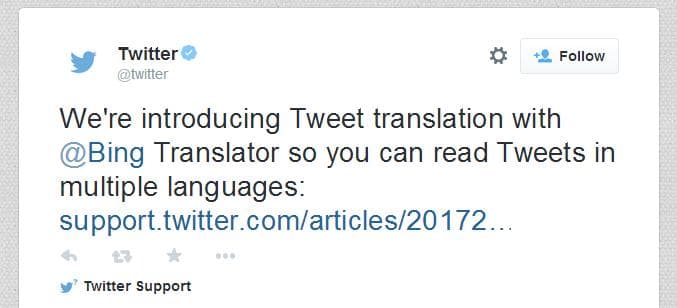
The Tweet that outed the news to millions.
In order to adjust the Tweet translation setting, you obviously need to be logged into your account, go to your account settings and locate the Tweet translation section and check the box next to 'Show Tweet Translation'. To now actually try the feature, locate the globe icon next to a tweet in a different language. On clicking that icon, the tweet will be expanded to see the translation appear below the original Tweet.
The Bing-powered Tweet translation tool is available on twitter.com, Twitter for iOS, Twitter for Android, and TweetDeck for more than 40 language pairs. In India, this includes Hindi language. We would like to remind you that the translation may fall below the accuracy and fluency of translations provided by a professional translator. And if a text was indeed incorrectly translated, you may submit an ‘incorrect translation’ rating on the Translator home page or use the Feedback link in the footer. If non-offensive text has resulted in an offensive translation by mistake, you report this by clicking on the ‘Report offensive translations’ icon.
That's all about the new Bing translation tool on twitter. What do you think about machine translation? Let us know your thoughts in comments.
We all are aware that machine translation is not as good as the human counterpart as there's just too much flowery language we use in those 140 characters to fit-in all we want to say and it just can't be translated as it is and expect the readers to understand the essence. Until our researchers are able to build a machine that can automatically translate the tweet to a language familiar to you, the chances of you misinterpreting what has been written are pretty high. That said, let's check out what are the settings you ought to know about to enable or disable the Bing Translator on Twitter.
The Tweet that outed the news to millions.
In order to adjust the Tweet translation setting, you obviously need to be logged into your account, go to your account settings and locate the Tweet translation section and check the box next to 'Show Tweet Translation'. To now actually try the feature, locate the globe icon next to a tweet in a different language. On clicking that icon, the tweet will be expanded to see the translation appear below the original Tweet.
The Bing-powered Tweet translation tool is available on twitter.com, Twitter for iOS, Twitter for Android, and TweetDeck for more than 40 language pairs. In India, this includes Hindi language. We would like to remind you that the translation may fall below the accuracy and fluency of translations provided by a professional translator. And if a text was indeed incorrectly translated, you may submit an ‘incorrect translation’ rating on the Translator home page or use the Feedback link in the footer. If non-offensive text has resulted in an offensive translation by mistake, you report this by clicking on the ‘Report offensive translations’ icon.
That's all about the new Bing translation tool on twitter. What do you think about machine translation? Let us know your thoughts in comments.