Play youtube videos in VLC player

@thebigk
•
Oct 23, 2024
Oct 23, 2024
1.6K
Here's an old trick that lets you play youtube videos in VLC media player - arguably the world's most favorite media player on Windows, OSX and Linux platforms. I tested this on VLC 2.0.4 running on OSX Mountain Lion but I'm sure you can do the same on Windows and Linux as well. Just figure out your own way.
Step I: Open YouTube and copy URL of the video that you want to stream on your VLC player. For example here's the video of over-played, over-famous, over-hyped Gangnam Style -
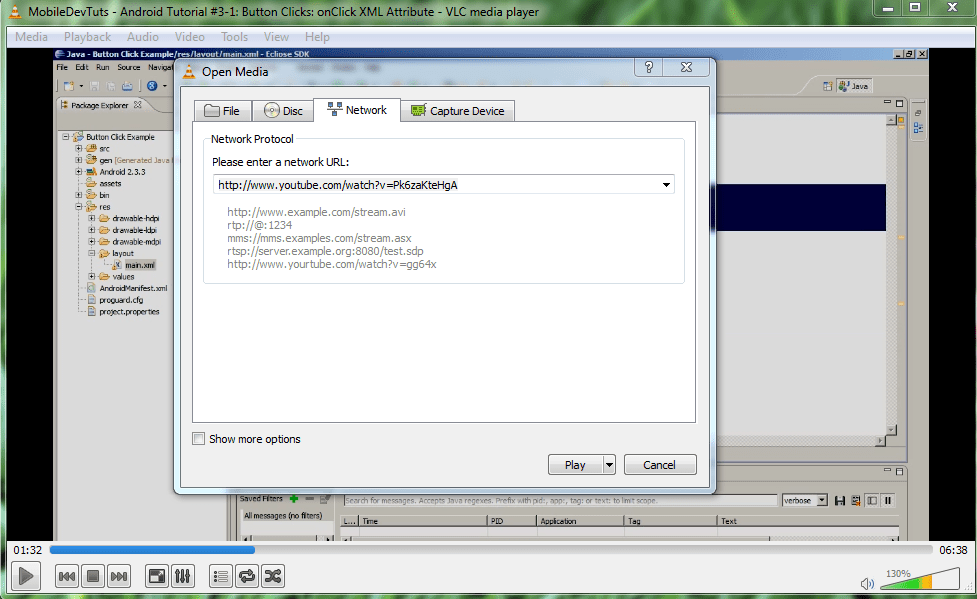
Step II: Load your VLC player. Go to "Network"
In Windows: Hit CTRL+N
In OSX: Hit VLC (in menu bar) -> 'Open Network'
Step III: Rock and Roll, do the Gangnam Style! Dance! 😁
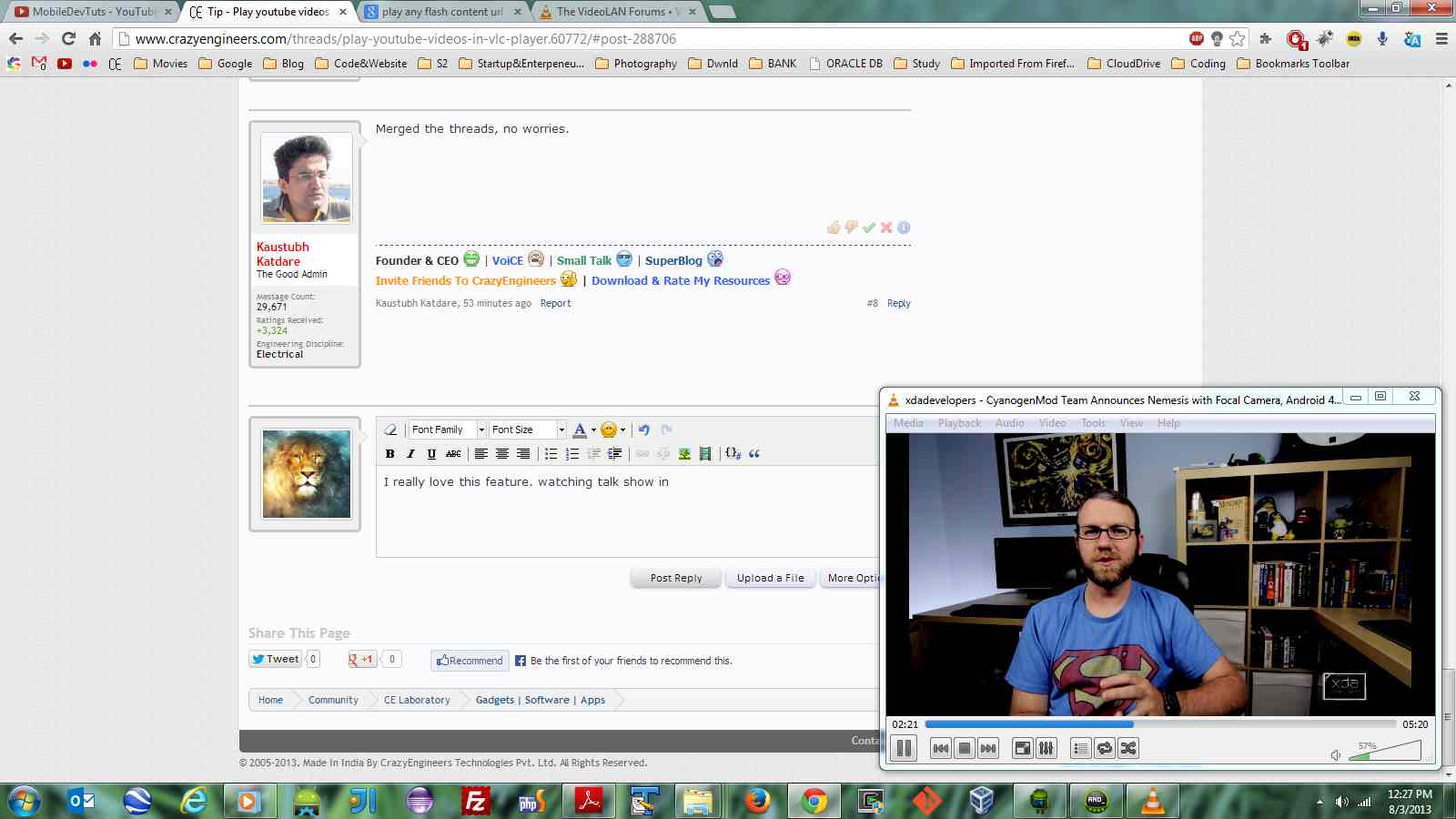
Now, the biggest advantage of playing your videos in VLC player is that you don't need the adobe flash plugin anymore. VLC even offers several other advantages as well. For example, you can slow down the playback speed, loop the video, adjust music equaliser, load presets.
The one advantage that everyone will love is that this approach prevents you from watching the mandatory ads that show up before your video starts playing. Plus, I found out that on Mac, the VLC player automatically creates a playlist entry for that video. So next time I wish to play it, I just have to click on the playlist entry. I won't have to repeat all the steps. That's incredible, isn't it?
You can even play dailymotion videos in the same way. I hope you will find the trick useful.
Step I: Open YouTube and copy URL of the video that you want to stream on your VLC player. For example here's the video of over-played, over-famous, over-hyped Gangnam Style -
https://www.youtube.com/watch?v=9bZkp7q19f0(added it to code section to prevent it from auto embedding itself)
Step II: Load your VLC player. Go to "Network"
In Windows: Hit CTRL+N
In OSX: Hit VLC (in menu bar) -> 'Open Network'
Step III: Rock and Roll, do the Gangnam Style! Dance! 😁
Now, the biggest advantage of playing your videos in VLC player is that you don't need the adobe flash plugin anymore. VLC even offers several other advantages as well. For example, you can slow down the playback speed, loop the video, adjust music equaliser, load presets.
The one advantage that everyone will love is that this approach prevents you from watching the mandatory ads that show up before your video starts playing. Plus, I found out that on Mac, the VLC player automatically creates a playlist entry for that video. So next time I wish to play it, I just have to click on the playlist entry. I won't have to repeat all the steps. That's incredible, isn't it?
You can even play dailymotion videos in the same way. I hope you will find the trick useful.