

Conky Theme : Slick-Conky

@abhishek-fg9tRh
•
Oct 21, 2024
Oct 21, 2024
1.4K
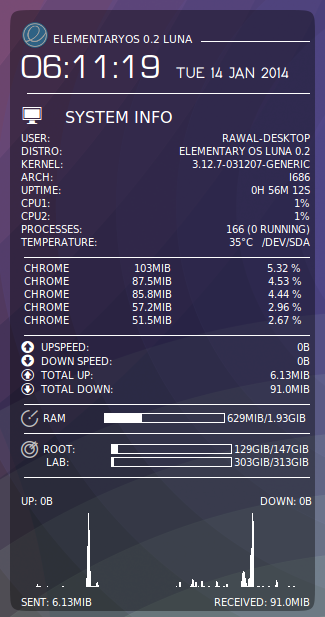
- Blatantly copied Upspeed Downspeed graph code from Styajit Sahoo's Conky Now theme
- Used lua script of VinDSL BG Hack
- Other modifications are solely done by me.
Link : #-Link-Snipped-#
Github : #-Link-Snipped-#
Installation :
- Download fonts from link given above & install it (or simply put in ~/.fonts directory)
- Download eOS logo from above link (PS: Logo is not made by me, i have picked up from elementaryos.org sticker, #-Link-Snipped-#)
- Place downloaded eOS logo in /Home directory
- Now in /Home directory create a folder named 'scripts'
- Download .draw_bg.lua & put in 'scripts' folder
- Download .conkyrc & put in /Home directory
- Open terminal & type conky
To automatically start conky when PC starts :
- Download start_conky.sh & put in 'scripts' folder
- Right click on start_conky.sh & make it 'executable'
- Now open settings -> startup application
- Click on 'Add'
- In name, write conky
- In command option, click on browse & locate start_conky.sh (i.e /Home/scripts & then click on startconky shell script file)
- The click on add.