Blue screen of death error

aki.4517
@aki4517-yDNceq Oct 26, 2024

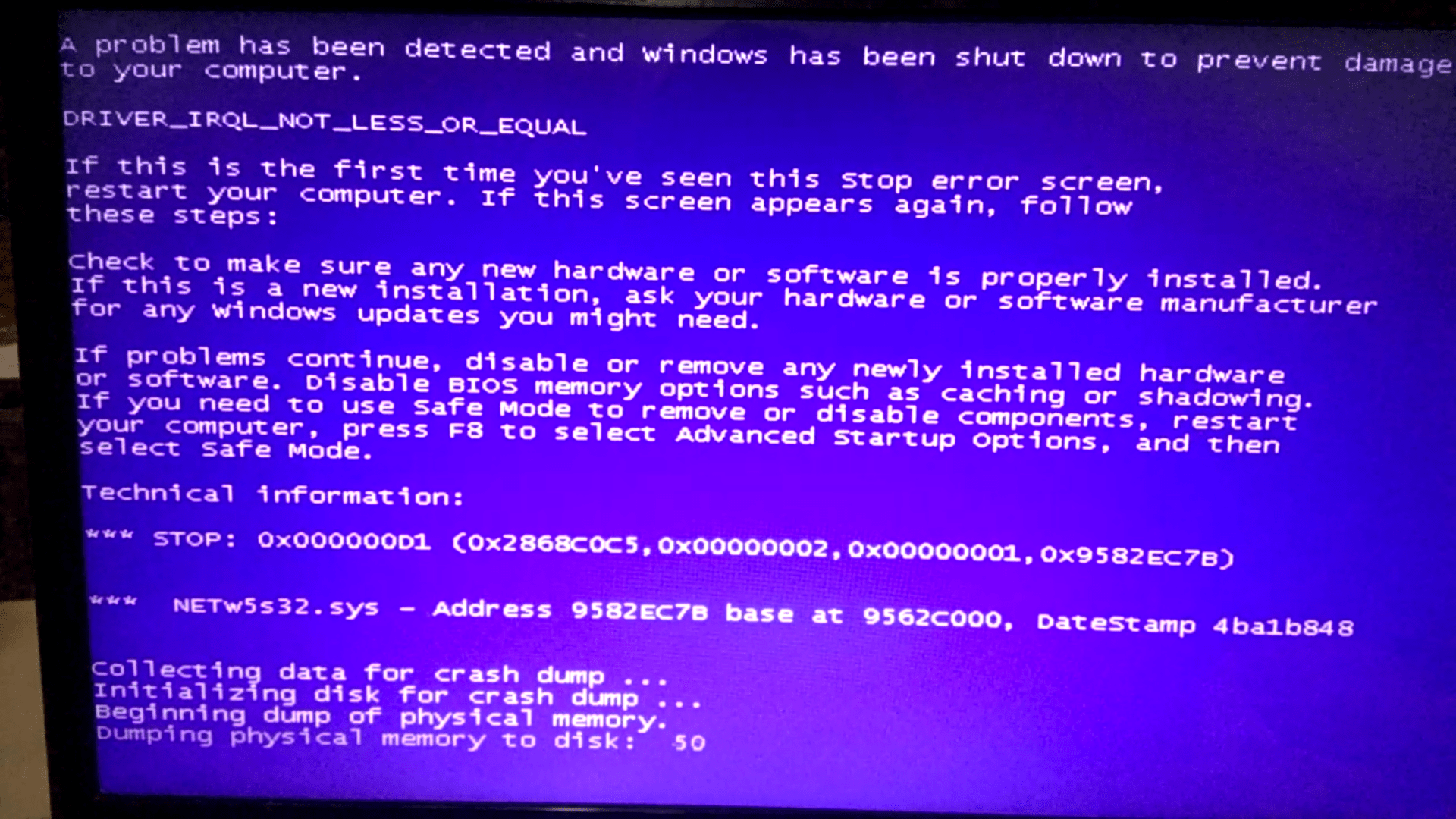
Hi everyone.. I've dell inspiron 15r laptop - 4gb ram, i3, 500gb (2011). From the past few months it just restarts without any reason (that i can find).. Tried installing new windows, updated softwares but still getting this error. I found some help online about specific error that comes on screen but the error no. - it keeps changing every time. However i took this screenshot when it happened again just few minutes after installing new windows.. Any helpful suggestions?

Replies

Welcome, guest

Join CrazyEngineers to reply, ask questions, and participate in conversations.

CrazyEngineers powered by Jatra Community Platform

  • Kaustubh Katdare

    @thebigk Aug 26, 2016

    #-Link-Snipped-# - It's a hardware driver related problem that 'may' be fixed by installing updated drivers from the DELL website. I think they've a utility that searches for and installs the drivers for your system. You just need to enter your machine's ID and the software will download all the critical drivers. I searched a bit and found that this could be related to your WiFi module; so make sure that you have all the latest drivers for your WiFi setup.

    If the problem persists; I think the only thing you can do is contact DELL's official support.

  • aki.4517

    @aki4517-yDNceq Aug 26, 2016

    Thanks for the reply, u're right about that. I already tried the DELL SUPPORT ASSIST software that automatically checks for outdated drivers nd other hardware problems but when i installed it nd it started analyzing the system, blue screen error came again - every time. So now I'll try downloading and updating the softwares manually too as us said.

  • [Prototype]

    @prototype-G9Gn5k Aug 26, 2016

    aki.4517Thanks for the reply, u're right about that. I already tried the DELL SUPPORT ASSIST software that automatically checks for outdated drivers nd other hardware problems but when i installed it nd it started analyzing the system, blue screen error came again - every time. So now I'll try downloading and updating the softwares manually too as us said.

    If updating to latest driver doesn't solve the issue, I'd suggest to get an external WiFi adapter and test with it for few days and see if BSOD still occurs. If not, then definitely your wireless card has a problem and you can make a call if you want to replace it.

    Eg: #-Link-Snipped-#

  • aki.4517

    @aki4517-yDNceq Aug 27, 2016

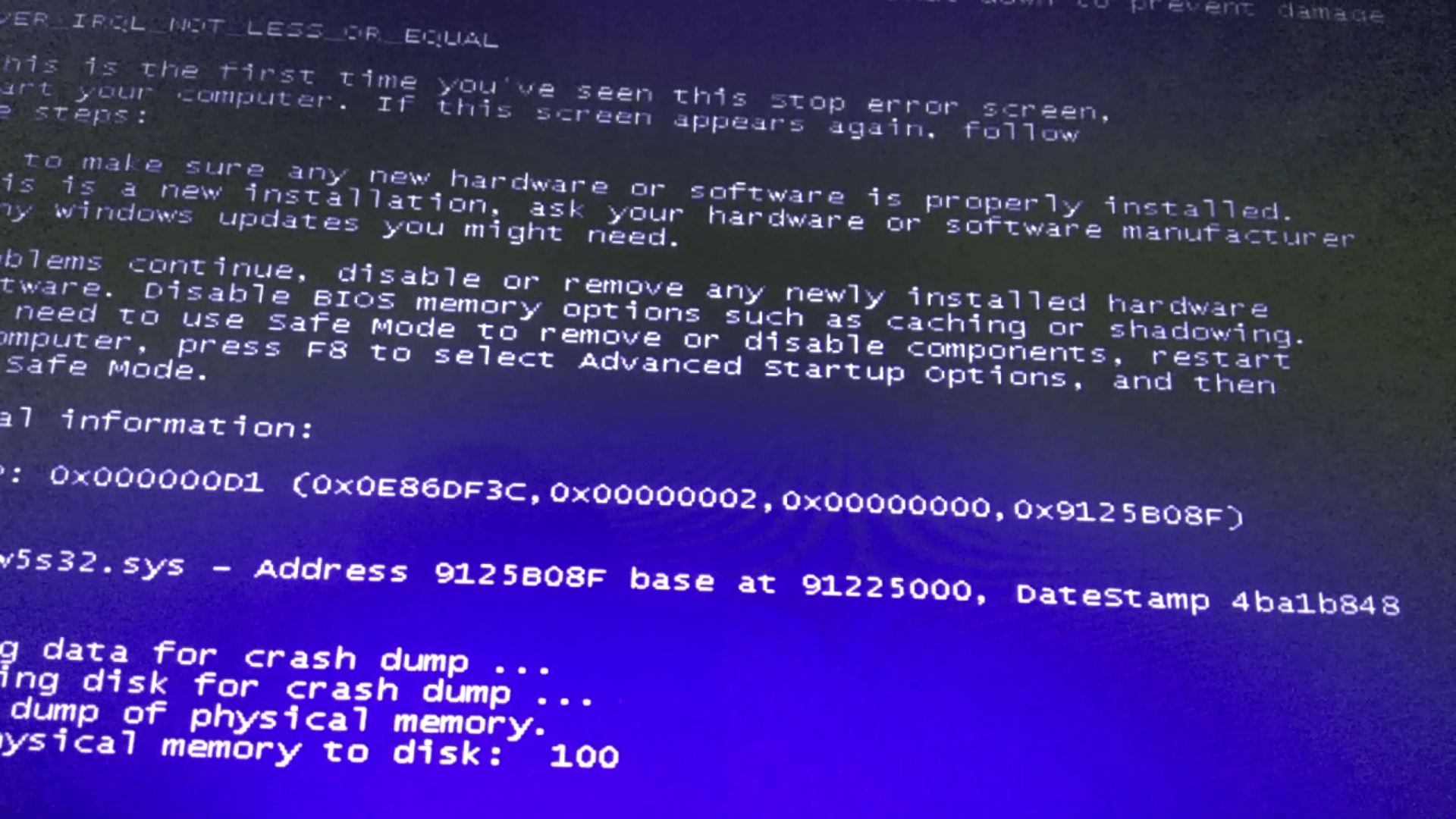
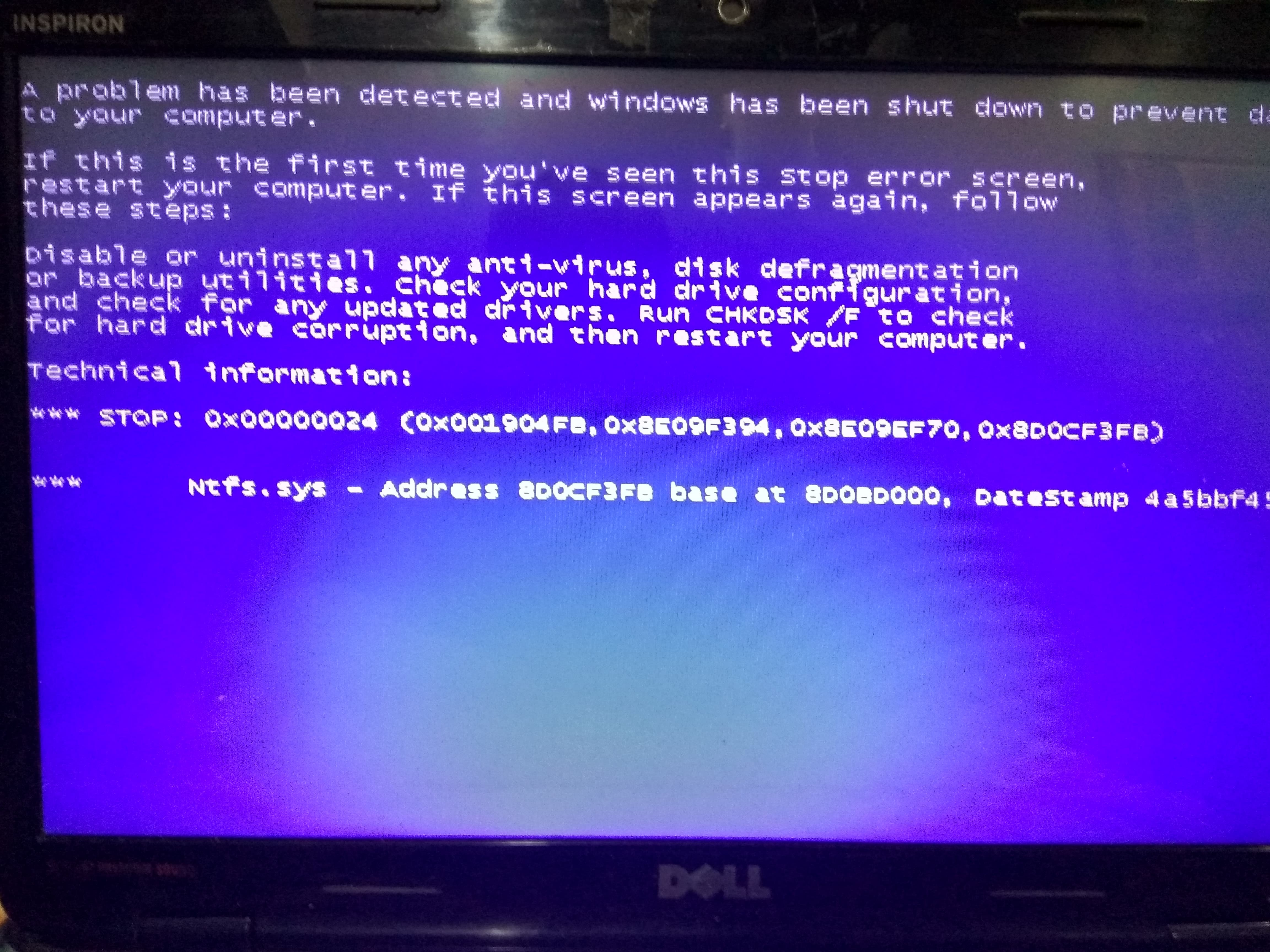
    Thanks for the info, I'll try with external wifi adapter. I guess I've different issues with my pc because after updating ALL softwares still in getting blue screen errors with different error no's. Screenshot_2016-08-28-12-43-22_com.miui.videoplayer IMG_20160826_233034_HDR Screenshot_2016-08-28-12-43-22_com.miui.videoplayerScreenshot_2016-08-26-22-52-38_com.miui.videoplayerIMG_20160826_233034_HDR

  • [Prototype]

    @prototype-G9Gn5k Aug 27, 2016

    #-Link-Snipped-# , does the issue with NTFS.sys showed up now or its also often to see that?

  • aki.4517

    @aki4517-yDNceq Aug 27, 2016

    No its not usual.. It just started after i updated the drivers. Nd now computer starts after 4-5 continous bluescreen errors.

  • aki.4517

    @aki4517-yDNceq Aug 27, 2016

    [Prototype]#-Link-Snipped-# , does the issue with NTFS.sys showed up now or its also often to see that?

    No its not usual. It started coming now after i updated all drivers nd now computer starts only after 4-5 continous bluescreen errors.

  • [Prototype]

    @prototype-G9Gn5k Aug 28, 2016

    aki.4517No its not usual. It started coming now after i updated all drivers nd now computer starts only after 4-5 continous bluescreen errors.

    All, then its due to multiple abnormal shutdowns which may have caused corruption of some files.
    If you notice the Nets5s32 is common. That's related to the wireless driver. Try with the external wireless card, it should help you conclude the actual issue.

  • aki.4517

    @aki4517-yDNceq Aug 28, 2016

    [Prototype]All, then its due to multiple abnormal shutdowns which may have caused corruption of some files.
    If you notice the Nets5s32 is common. That's related to the wireless driver. Try with the external wireless card, it should help you conclude the actual issue.

    Ok.. Anyways i just installed CLEAN AND NEW windows 7. After installing i immediately got bluescreen error with code 0x00000050 again and computer is restarting itself multiple times after that, and windows are not opening. Only two options come 1)launch startup repair - that restarts computer. 2)start windows normally - that also restarts it. Could that be because of wifi card? I didn't installed a single new software after installing windows but still getting this error.

  • [Prototype]

    @prototype-G9Gn5k Aug 28, 2016

    aki.4517Ok.. Anyways i just installed CLEAN AND NEW windows 7. After installing i immediately got bluescreen error with code 0x00000050 again and computer is restarting itself multiple times after that, and windows are not opening. Only two options come 1)launch startup repair - that restarts computer. 2)start windows normally - that also restarts it. Could that be because of wifi card? I didn't installed a single new software after installing windows but still getting this error.

    Insert the Windows DVD and do the startup repair from it.
    Also refrain from re-installing windows so many times. Just manage to get the windows boot up and turn off the WiFi. If there's an option in your bios to disable WiFi card, do so before booting up.