

How to Choose the Best Dedicated Server in India?

How to Choose the Best Dedicated Server in India?
Buying a dedicated server in India is easier when you know what to compare. Looking beyond price and focusing on performance, security, and scalability helps you choose the right server for your needs.
Step 1: Understand Your Hosting Requirements
Before comparing dedicated server plans, identify your website's purpose, expected traffic, and resource requirements. This helps you choose hardware that matches your workload without paying for unnecessary resources.
Things to consider:
Website or application type
Monthly visitors
Resource usage
Future growth
Server control requirements
Step 2: Choose the Right Processor
The processor manages every task running on your server. Selecting the right CPU improves website speed, application performance, database processing, and multitasking under heavy workloads.
Compare these specifications:
Intel Xeon or AMD EPYC
Number of CPU cores
Processor generation
Clock speed
Cache memory
Step 3: Select Enough RAM
RAM allows your server to handle multiple users and applications simultaneously. Choosing enough memory improves response time, reduces slowdowns, and keeps your website stable during traffic spikes.
General recommendation:
16 GB for small websites
32 GB for growing businesses
64 GB+ for enterprise workloads
Step 4: Choose NVMe SSD Storage
Storage performance directly affects website loading speed and database operations. NVMe SSD storage delivers faster read and write speeds than traditional HDDs, making it the preferred choice for modern servers.
Look for:
NVMe SSD storage
RAID support
Backup options
Expandable storage
Enterprise grade drives
Step 5: Check the Server Location
Server location influences latency and website response time. If your audience is mainly in India, hosting your server in an Indian data centre generally provides a faster browsing experience.
Why location matters:
Lower latency
Faster page loading
Better user experience
Improved local performance
Stable network connectivity
Step 6: Review Network Performance
A dedicated server should offer reliable network connectivity along with sufficient bandwidth. Poor network quality can affect downloads, streaming, and website performance during peak traffic hours.
Check these features:
1 Gbps or higher uplink
Unlimited or generous bandwidth
Low network latency
DDoS protection
Reliable network infrastructure
Step 7: Compare Security Features
Security is essential for protecting websites, applications, and customer data. A secure server reduces the risk of cyberattacks, unauthorized access, and unexpected downtime caused by security incidents.
Important security features:
Hardware firewall
DDoS protection
Automatic backups
Secure SSH access
Server monitoring
Step 8: Look for Scalability
Your server should be able to grow with your business. Choosing a scalable solution makes it easier to upgrade hardware without migrating your websites or applications to another server.
Check upgrade options for:
CPU
RAM
Storage
Bandwidth
Operating system
Step 9: Evaluate Technical Support
Even experienced administrators sometimes require technical assistance. Reliable support helps resolve hardware failures, operating system issues, and network problems before they affect your business.
Before buying, verify:
24/7 technical support
Live chat availability
Ticket support
Knowledge base
Response time
Step 10: Compare the Overall Value
Don't choose a dedicated server based only on price. Compare hardware quality, storage technology, uptime commitment, security, scalability, and support to understand which plan offers the best overall value.
Compare these factors:
CPU and RAM
NVMe SSD storage
Network quality
Uptime guarantee
Support quality
Which Dedicated Server Provider Should You Choose?
After comparing hardware specifications, network performance, security, and technical support, the next step is choosing a provider with reliable infrastructure and transparent pricing. A good dedicated server should offer modern hardware, flexible upgrades, high uptime, and responsive support to keep your websites and applications running smoothly.
If you're looking for a dedicated server in India, YouStable is worth considering because its plans start at $77.99/month and include Intel Xeon & AMD processors, NVMe SSD storage, full root access, 1 Gbps network connectivity, free server setup, free website migration, and 24/7 technical support. Before making your decision, compare the available server configurations with your workload to ensure you're choosing the right hardware for your business.
Why consider YouStable Dedicated Server India?
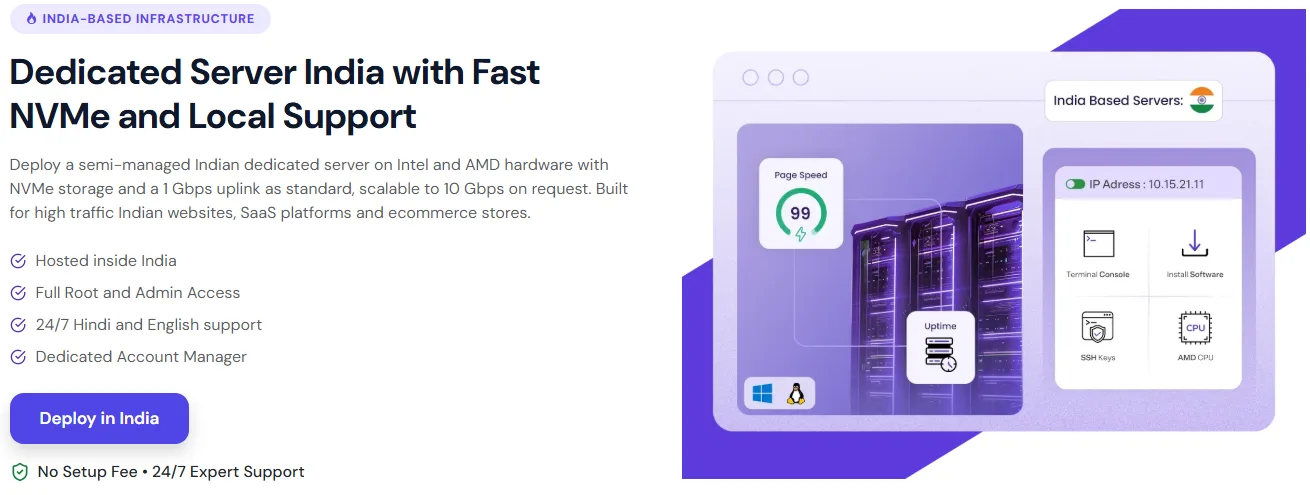
Starting at $77.99/month
Intel Xeon & AMD dedicated servers
High speed NVMe SSD storage
Full root and administrator access
Free server setup
Free website migration
24/7 Hindi & English technical support
Custom server configurations
99.9% uptime commitment
Multiple Linux & Windows OS options