Use Sublime text 3 Editor As Arduino IDE (To edit & upload Arduino sketch into Arduinos)

Abhishek Rawal

Abhishek Rawal

@abhishek-fg9tRh Oct 26, 2024

I found Arduino IDE not a good tool to edit arduino sketches & upload it in Arduino, especially in my Linux system(Editor kinda sucks & it's slow). So, I searched a lot for alternative & finally found a great editor in which by using external extensions, I can use it as Arduino IDE. Simply flawless, believe me.

What you'll need ?
- Sublime Text 3
- Arduino IDE
- Computer with Internet connection
- Common-sense

Step 1 : Download & Install Arduino IDE
For OS X & Windows Users :
Visit official #-Link-Snipped-# & download Arduino IDE & install it.

For Linux Users :
Visit #-Link-Snipped-# & download 32-bit or 64-bit version of Arduino (depending upon your arch)
It will be in .tar.gz format. Extract it & place it /home/<username>

Step 2 : Download & Install Sublime Text 3
For OS X & Windows Users :
Visit official <a href="https://www.sublimetext.com/3" target="_blank" rel="nofollow noopener noreferrer">Download - Sublime Text</a> & download the editor.

For Linux Users :
Ubuntu Users : You can visit <a href="https://www.sublimetext.com/3" target="_blank" rel="nofollow noopener noreferrer">Download - Sublime Text</a> & download .deb file

For Other Linux Users, I will recommend not to download that tarball which is available in official website. Because, even if you successfully start the sublime text editor & edit Arduino sketches, you won't be able upload the sketch in Arduino, because of SU permission.

Though for Fedora Users, I have a good alternative which overcomes this problem : #-Link-Snipped-#.
If you're fedora user, then download 'Fedora Utils'. To download Fedora Utils. Open terminal & type :

 su -c "curl https://download.opensuse.org/repositories/home:/satya164:/fedorautils/Fedora_19/home:satya164:fedorautils.repo -o /etc/yum.repos.d/fedorautils.repo && yum install fedorautils" 

This will download & install Fedora utils in your Fedora system.

Now, once installed; launch application menu & start 'Fedora utils', a dialog box will open with few main options.
Click on second option named 'Install additional software' & click on select.
Another dialog box will open with list of installable softwares, In second last option there is option called ' Install Sublime text 3', click on it & installation will proceed.

Step 3 : Adding Arduino Extension To Sublime text 3
For OS X & Windows Users :
- Open Sublime Text 3
- Click on Preference -> Package Control
- Select Package Control : Install Package
- Input 'Arduino' in dialog box & select 'Arduino-like IDE'

For Linux users :
- Open terminal & type :

 sudo apt-get install git 

or

 yum install git 

or anyother depending upon your distribution.
- Followed by

 cd ~/.config/sublime-text-3/Packages 

- Then type

 git clone https://github.com/wbond/sublime_package_control.git "Package Control" 

- And lastly

 cd "Package Control" 

Now to add Arduino extension, Open sublime text 3 & press 'Ctrl+Shift+P' & click on 'Package Control : Install Package'
Search 'Arduino' in dialog box & click on 'Arduino-like IDE'

Step 4 : Configuring Sublime Text 3 for Arduino
For All Users :
- In Sublime Text Editor, at top you'll find one more tab called -> 'Arduino'
- Click on it & select 'Preference' -> 'Select Arduino Application Folder'
- Select the location where your Arduino is installed.
( For Linux users, select the location /home/<username> & click on extracted 'arduino' folder)
- Again Click on Arduino tab in Sublime text 3 & click on 'Arduino AVR Boards' & select your board.
- Then click on 'Programmer' under Arduino tab of Sublime Text 3 & select programmer you wanna use.

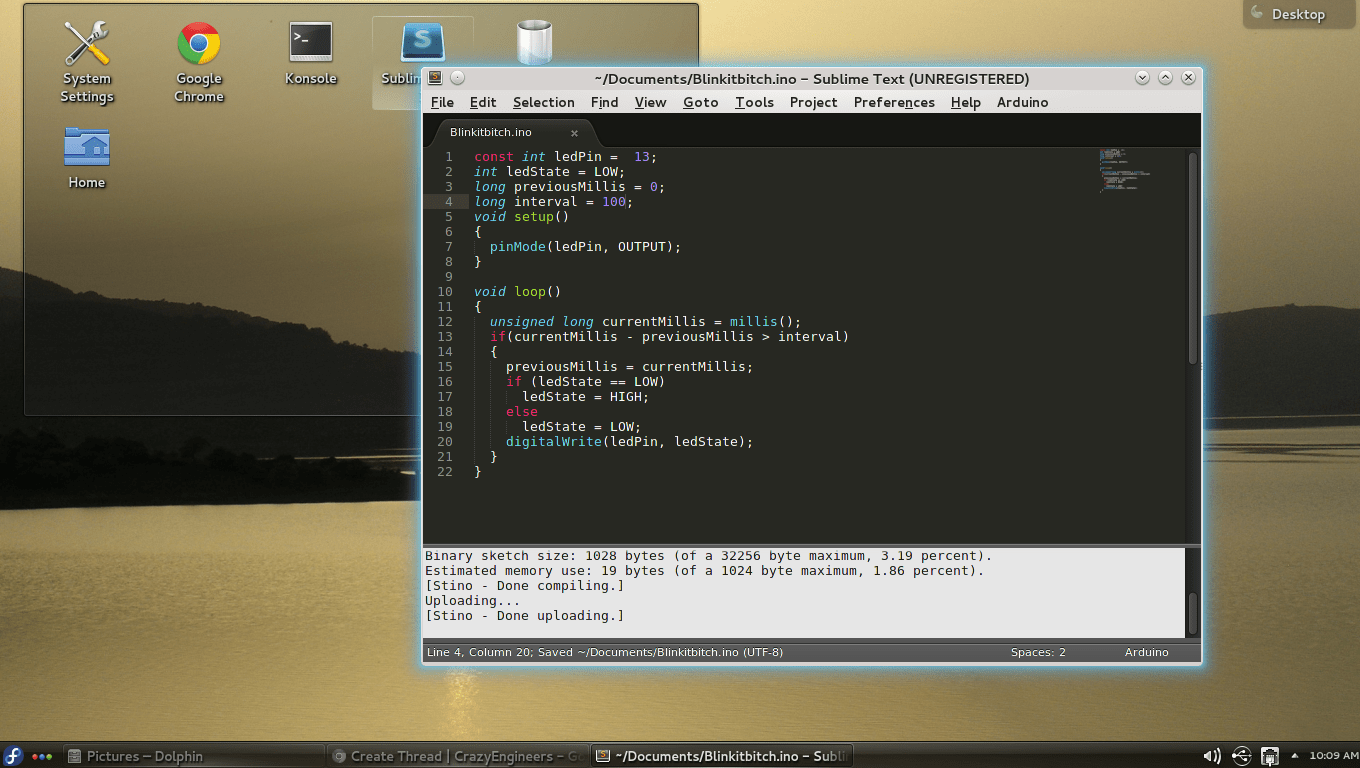
Few images related to tutorial, tested by me in Fedora 19 :

Compiling/Verifying :
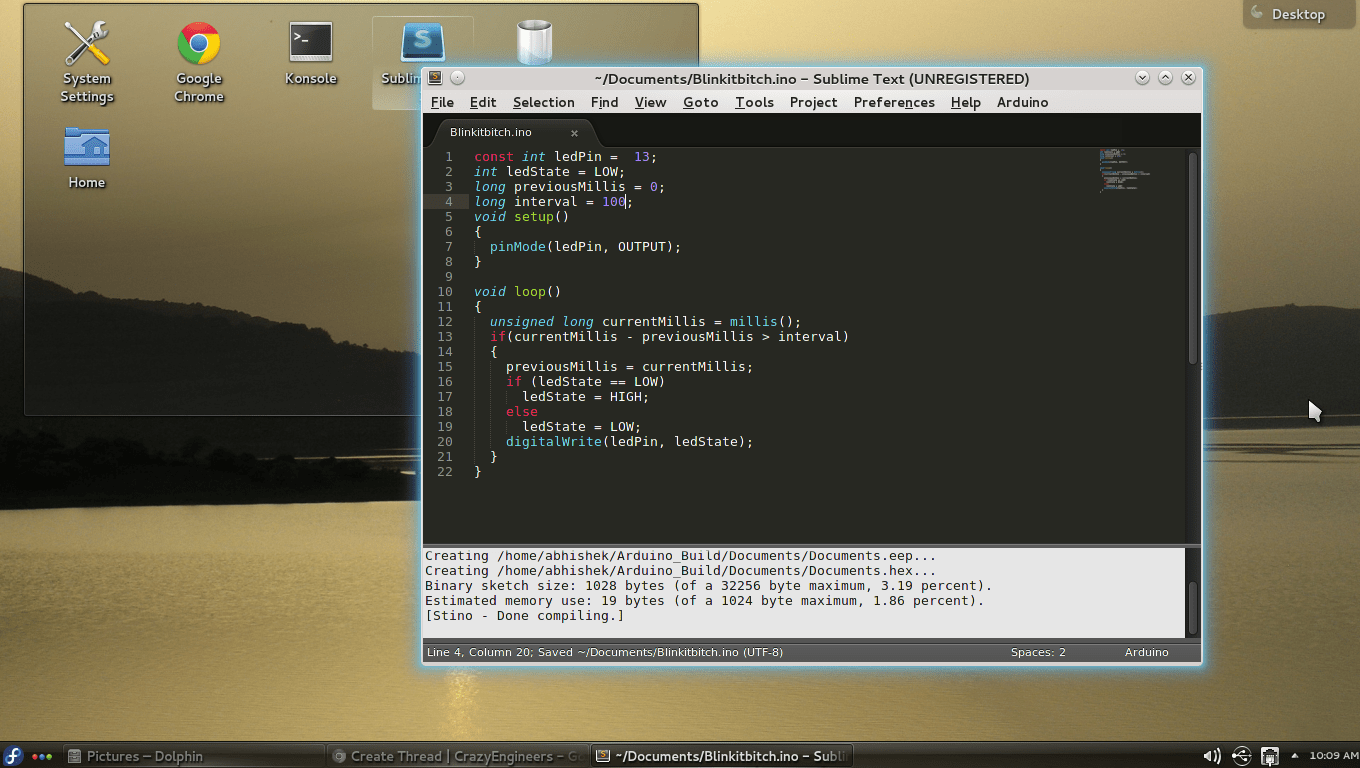
snapshot2


Uploading sketch to Arduino :
snapshot3


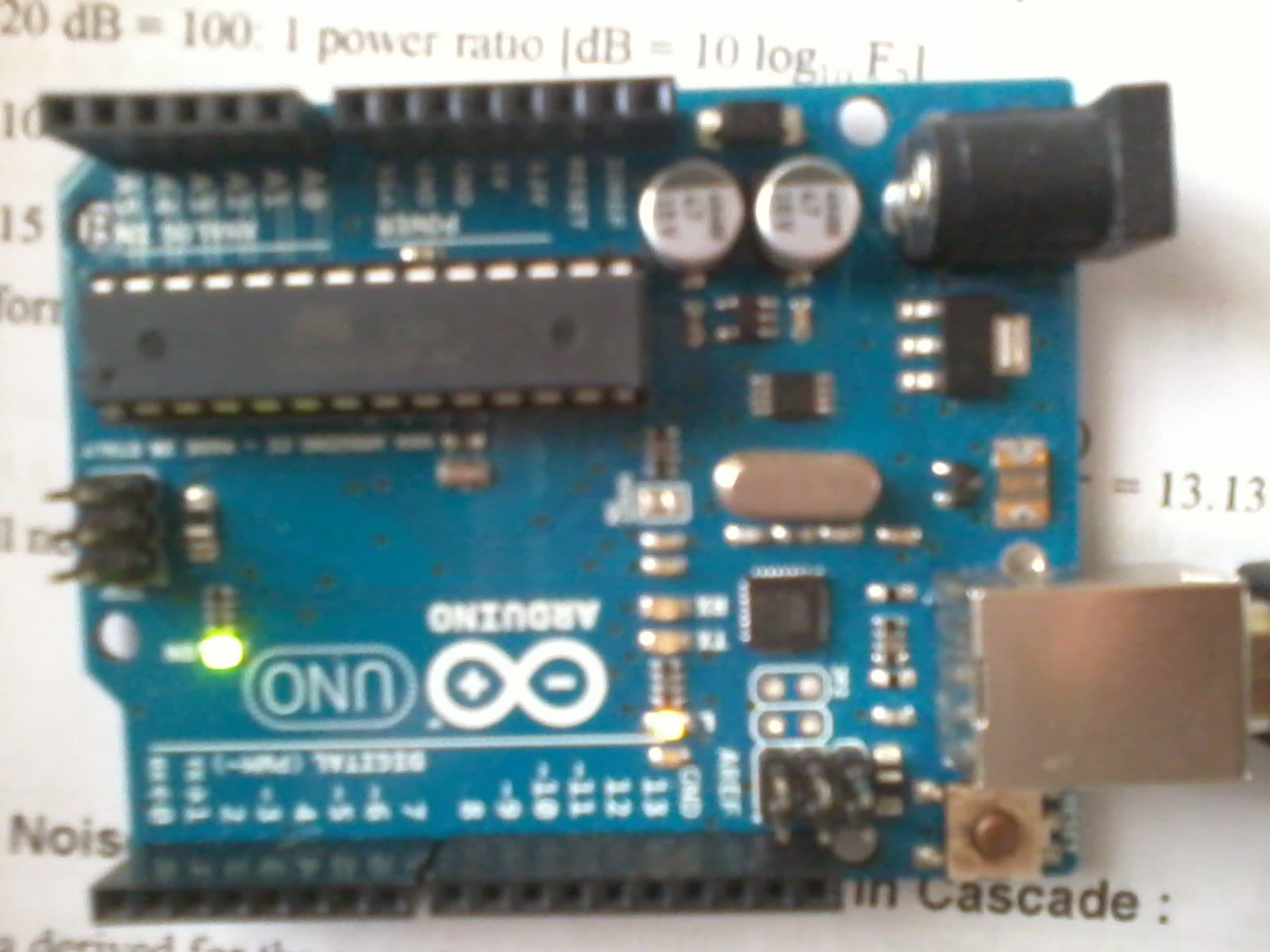
Testing In Hardware :
2013-10-13 10.10.22

Happy hacking & coding 👍

Have any problem in configuring ? Need any help ? Feel free to comment below.
Cheers.
Replies

Welcome, guest

Join CrazyEngineers to reply, ask questions, and participate in conversations.

CrazyEngineers powered by Jatra Community Platform

  • Abhishek Rawal

    Abhishek Rawal

    @abhishek-fg9tRh Oct 13, 2013

    In addition,
    Manual way to install Arduino Extension :
    - Download the 'Stino-master.zip' file & extract it.
    - Now, Open Sublime text 3 & click on Preferance- > Browse Packages.
    - Paste the extracted folder from 'Stino-master.zip' into 'Packages' folder.
    - Restart sublime text 3.

    That's all.

  • Abhishek Rawal

    Abhishek Rawal

    @abhishek-fg9tRh Oct 19, 2013

    Update :
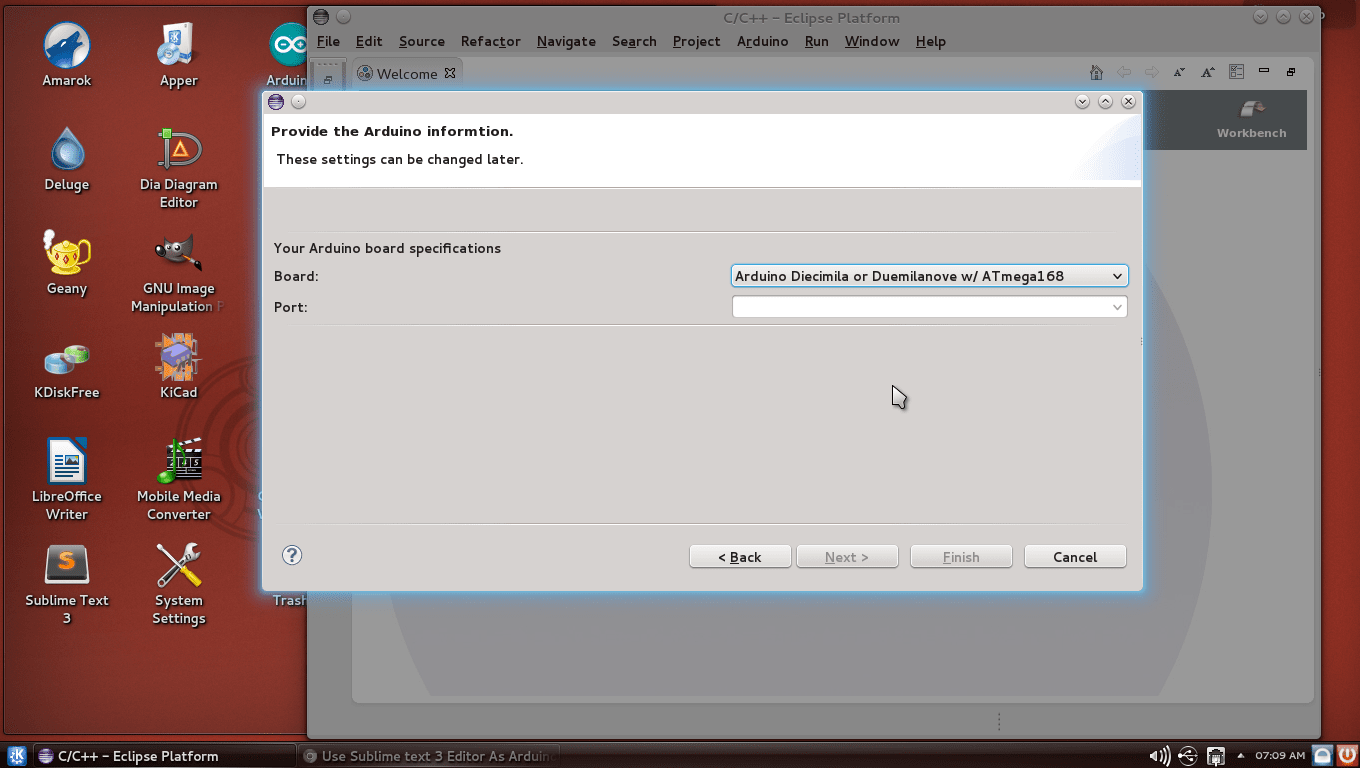
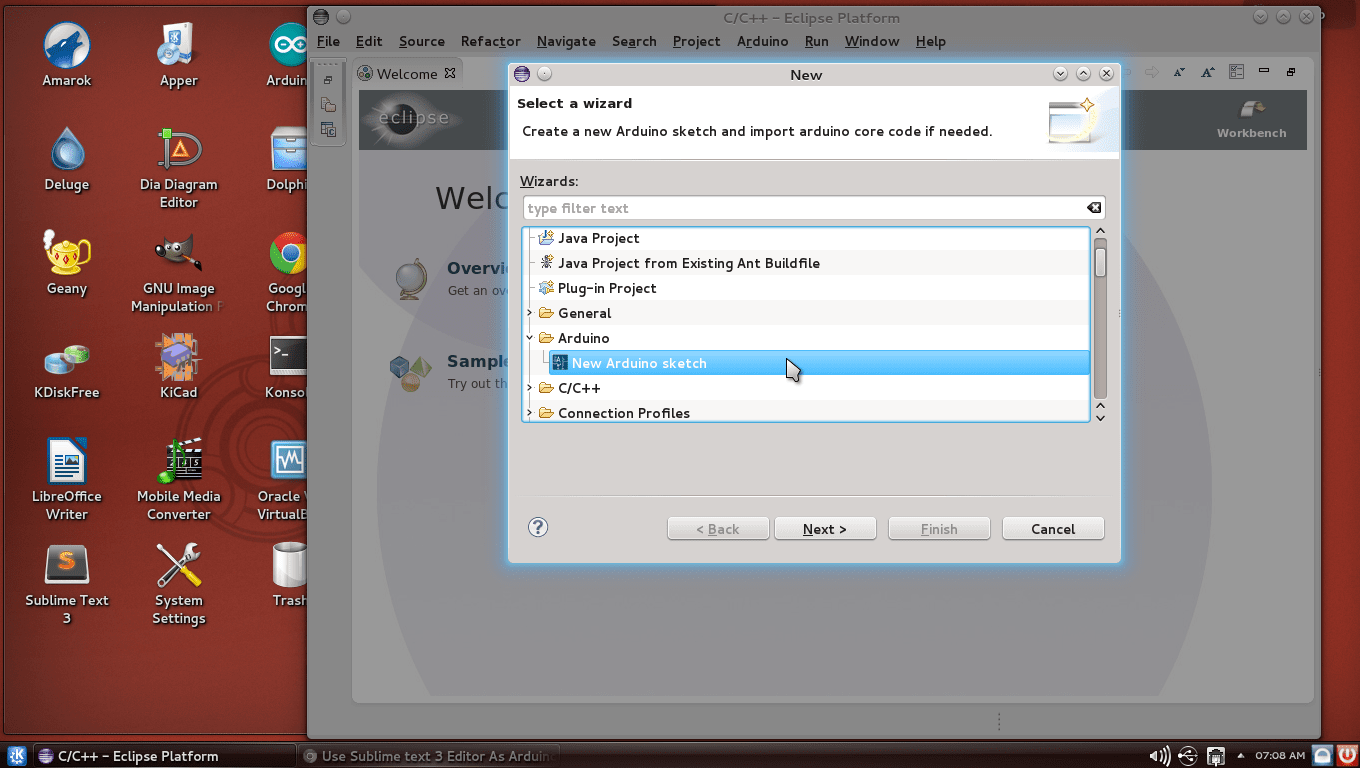
    Just incase, you don't like Sublime Text 3 & prefer Eclipse for overkill Arduino projects then you can add Arduino in Eclipse IDE too.

    4 5

    For step-by-step tutorial visit : #-Link-Snipped-#

    However, I found Sublime text 3 better than Eclipse for Arduino. But that's just me.

  • Zakk Hoty

    Zakk Hoty

    @zakk-hoty-kOxEhW Oct 25, 2013

    Hey! Great. I've got to step 4 on OSX Mavericks, but the Select Arduino Folder is grayed out. Also the example files appear, but are grayed out. Any idea what's going on here?

  • Zakk Hoty

    Zakk Hoty

    @zakk-hoty-kOxEhW Oct 25, 2013

    Zakk HotyHey! Great. I've got to step 4 on OSX Mavericks, but the Select Arduino Folder is grayed out. Also the example files appear, but are grayed out. Any idea what's going on here?


    UPDATE: I reinstalled both Sublime and Stino with the same results. I then realized that you must copy the Stino filed into the User folder under Browse Packages. Restart, and BAM.

  • Abhishek Rawal

    Abhishek Rawal

    @abhishek-fg9tRh Nov 19, 2013

    Alright I have created a quick video on this too. Here it is :

  • Rei Vilo

    Rei Vilo

    @rei-vilo-VbmRsg May 7, 2014

    Thank you for the detailed procedure! It worked right away the first time.

    Now on Mac OS X, if you prefer Xcode to Sublime Text, give <a href="https://embedxcode.weebly.com" target="_blank" rel="nofollow noopener noreferrer">Embedxcode - Tin Tức Làm Đẹp</a> a try. It's a template for Xcode with support for all major boards, including Arduino, chipKIT, LaunchPad, Microduino, Teensy, Wiring, ...

  • Abhishek Rawal

    Abhishek Rawal

    @abhishek-fg9tRh May 7, 2014

    Rei ViloThank you for the detailed procedure! It worked right away the first time.

    #-Link-Snipped-# Glad to help.

    Rei ViloNow on Mac OS X, if you prefer Xcode to Sublime Text, give <a href="https://embedxcode.weebly.com" target="_blank" rel="nofollow noopener noreferrer">Embedxcode - Tin Tức Làm Đẹp</a> a try. It's a template for Xcode with support for all major boards, including Arduino, chipKIT, LaunchPad, Microduino, Teensy, Wiring, ...

    I don't really use Windows or OS X, so I can't really test that template.
    We have many CEans who do use OS X, they can surely give a try to embedXcode.

    Being Vim user, I am looking for something similar for that too. I would be glad if I can create code for Arduino in my favourite editor, Vim. Any suggestions ?

  • Andy Crofts

    Andy Crofts

    @andy-crofts-egRN9A Jun 24, 2014

    Oh, My!
    That's beautiful! Now all I need to do is muck about with Sublime Text's colours, and I'm a Very Happy Bunny™

    Thanks very much for Your hard work on this.
    Andy
    Oulu, Finland

  • Abhishek Rawal

    Abhishek Rawal

    @abhishek-fg9tRh Jun 24, 2014

    #-Link-Snipped-# Glad you liked it.
    Cheers.

  • fatroshi

    fatroshi

    @fatroshi-JttYeQ Apr 8, 2015

    Thanks for the tutorial, I've done all steps provided but I keep getting this error:
    Compiling hello...
    Creating C:\Users\UserName\Documents\Arduino_Build\hello\hello.ino.cpp.o...
    '"avr-g++"' is not recognized as an internal or external command,
    operable program or batch file.
    [Stino - Error 1]

  • Abhishek Rawal

    Abhishek Rawal

    @abhishek-fg9tRh Apr 8, 2015

    fatroshiThanks for the tutorial, I've done all steps provided but I keep getting this error:
    Compiling hello...
    Creating C:\Users\UserName\Documents\Arduino_Build\hello\hello.ino.cpp.o...
    '"avr-g++"' is not recognized as an internal or external command,
    operable program or batch file.
    [Stino - Error 1]

    Check this out : #-Link-Snipped-#

  • Carlos Enrique Bähren

    Carlos Enrique Bähren

    @carlos-enrique-37hIOS Sep 20, 2017

    Dear Abhishek,
    i followed you installation tips but i failed to have a functional Sublime text with Arduino
    i see the arduino in the menu but not the follwing submenu with the different Arduino Boards.. i don't find it! :
    -Again Click on Arduino tab in Sublime text 3 & click on 'Arduino AVR Boards' & select your board.
    ----
    i press Arduino-Board-Refresh and it appears nothing!
    Thanks in advance for the advice!!
    Carlos Enrique